Automation takes over the chores that otherwise slip: following up with a customer, flagging an incoming invoice that sits unchecked, sending a mail when a project changes status. Settings → Company → Automation.
There is no artificial intelligence involved. Every automation is a fixed rule — "seven days after the quote, if the customer has not responded" — and every text comes from your template or the standard wording. No language model decides anything, and no language model writes anything.
Booking is one thing, switching on another
Automation is a paid add-on and is not included in any package — not even Company. It costs a fixed amount per business per month, no matter how many people work for you; the amount that applies and the currency are shown in the price table under Contract & subscription. You book it there — only the Office – Admin can do that. During the trial period it runs without a booking.
Booked does not mean switched on: every automation has its own switch in this tab, and all of them start out off. The reverse holds too — without a booking the switches have no effect, and Zirko says so at the top of the tab instead of leaving you guessing.
The eight automations in this tab
Four hang on a deadline (you set the days per automation):
- Follow up on a quote — an email to the customer when a sent quote stays unanswered. The only one with its own text template, and it follows up exactly once.
- Unchecked incoming invoice — a reminder to your company when a received invoice sits untouched. No supplier hears about it.
- Signature link expires — a reminder to your company before the link expires with which the customer signs a quote remotely.
- Missing times — a reminder to the person concerned when scheduled working days remain unrecorded. Deliberately not to the boss: that would be automated performance monitoring, and Zirko does not send that.
Four react to a project status change — each automation can be switched off per status:
- Inform the customer when the status changes — its own subject and text per status.
- Project reminder to the company — the same message, only inward.
- Assign people — puts people on the project. Sends nothing.
- Ask the customer for files — a mail with a time-limited upload link; whatever the customer uploads lands in the project folder.
There are no other recipients: mail goes to your customer, to your company or to the person concerned — to no one else.
When something happens
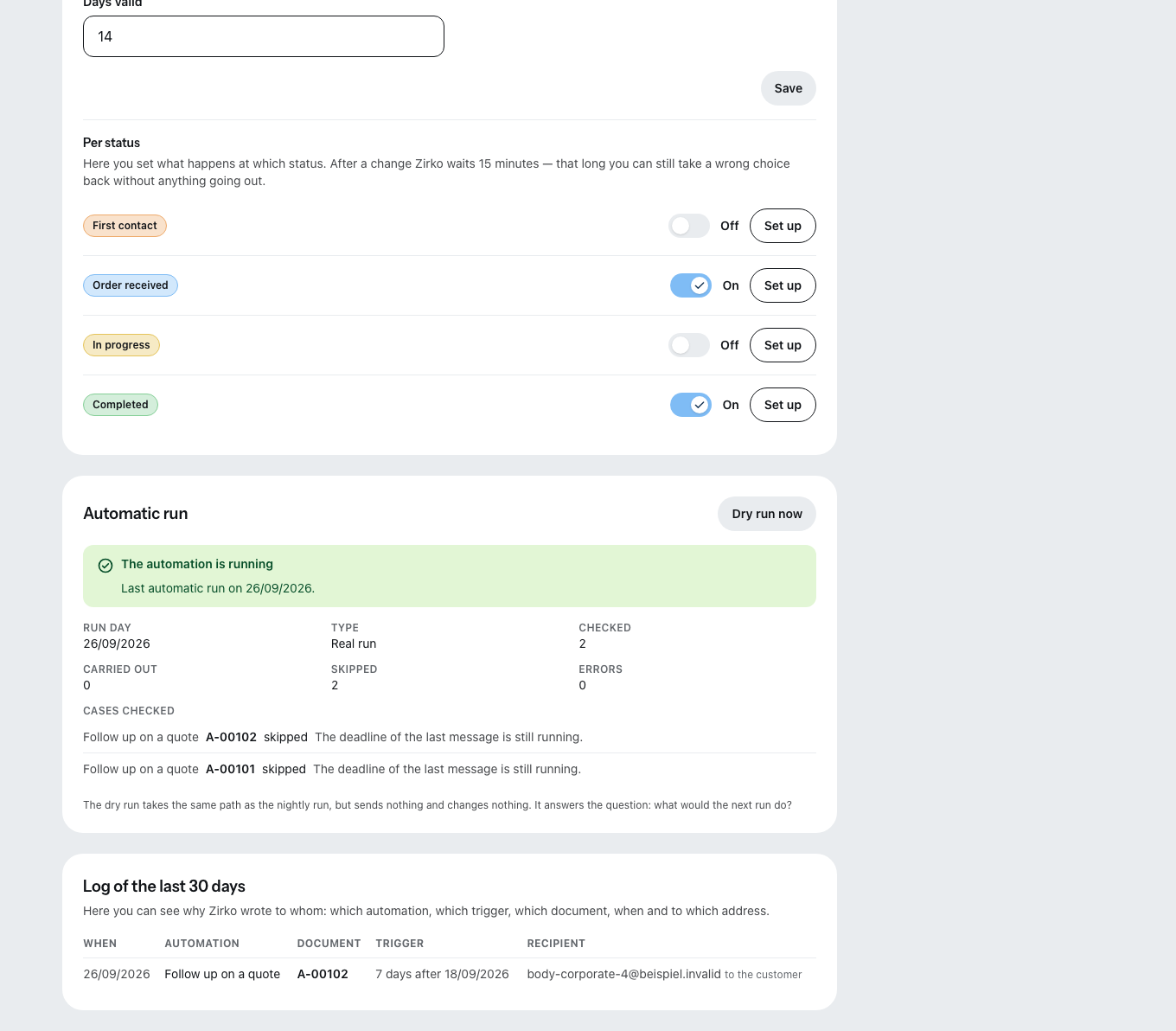
Zirko checks the deadline-driven automations once a day, early in the morning. After a status change it waits 15 minutes — if you pick the wrong status, you can correct it before the customer sees anything. And every customer mail goes out exactly once per case, never as a chain.
Dry run and log
The dry run shows you what the nightly run would do — cases checked, would-send, skipped with the reason — without a single mail going out. Use it before you arm anything for the first time.
The log of the last 30 days answers the question "why did Zirko write to this customer?": which automation, which trigger, which document, when, to whom. Anything older no longer appears in the tab.
The tab is visible to Office – Admin and Office – Management; only the admin can flip the switches.
What else belongs to Automation — and what does not
- The appointment automation of scheduling (reminders to customer and employee, status change on the first appointment) belongs to the same add-on and is configured there.
- The reminder automation is not part of the add-on. It lives under Settings → Payment reminders and runs independently — see Sending reminders when an invoice is not paid.
What does not work today
- No reminders at a precise hour. "One hour before" does not exist; the run starts once a day.
- Follow-up recognizes a response only by the remote signature or a follow-on document. A rejection over the phone is invisible to Zirko — it will then follow up with a customer who answered long ago.
- The status-change mail goes out only once per project and status — even if the project reaches the same status a second time later.
- The 15-minute grace period is not adjustable.