Scheduling is a planning board with two bands on one timeline: on top the projects with their phases, below the employees with their assignments and absences.
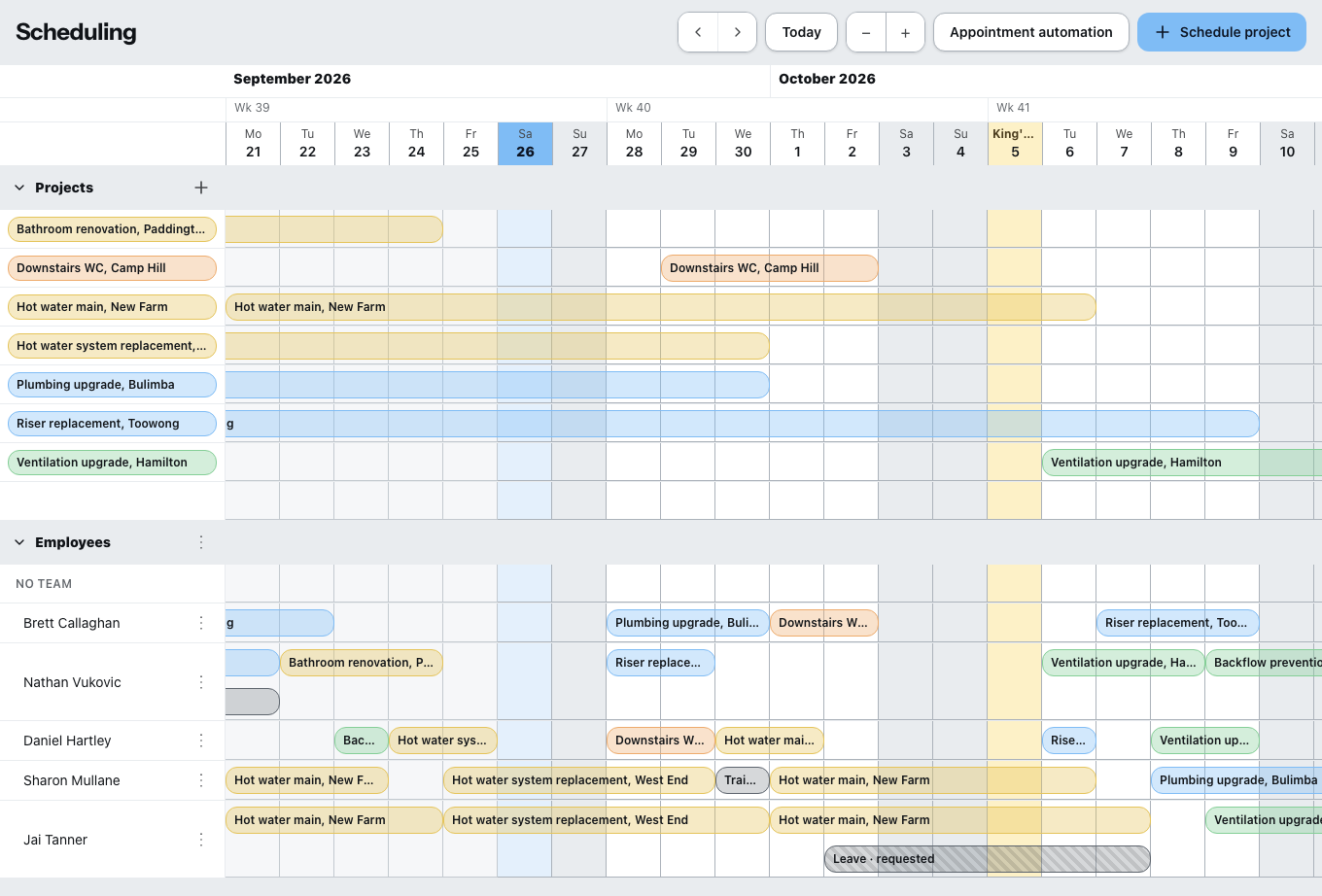
Scheduling is included in the Company package. On Single and Team you add it under Contract & subscription; during the trial it is always included. Without the add-on, planned assignments stay visible and you can remove them — you just cannot create new ones.
Moving around
With the arrows you page forwards and backwards, Today jumps to the current day. With plus and minus you switch between one week and six weeks in view.
There is no day view, and the columns are always whole days. If you want to plan a site to the hour, plan it here in days and enter the hours in time tracking.
Assigning
With the mouse: drag across several days in an empty row — and there is a phase or an assignment. You move existing bars, and drag their edges to make them longer or shorter. Everything snaps to whole days.
Through dialogs: New assignment, Add assignment, Add phase, New absence, Schedule project.
An assignment carries the project, the assignment name, a description, start and end date, All day or start and end time, the site address and a bar color — optionally By status, in which case the bar takes the color of the project status.
An absence runs all day or as the first or second half of the day. Half days can only be entered for a single day.
Teams
With Create team you group people together; you drag employees in by their name. Anyone not in a team appears under No team.
If you schedule a team, every member is scheduled individually. Anyone already scheduled is skipped — Zirko tells you afterwards how many.
Conflicts
Zirko lets you plan and warns you as it does:
- “… is absent during this period. Schedule anyway?” — you decide.
- Overlaps: the cells concerned are highlighted in red, and the notice names the number of days.
- The same project twice for the same person in the same period: nothing is created.
Appointment automation
A subpage of its own with three automations: project status at the first appointment, reminder to the customer, reminder to the scheduled employee. Lead time only in whole days, four levels at most. Before you go live there is a dry run, and afterwards the log What actually happened.
Zirko goes through the appointments once a day, early in the morning. “One hour before” does not exist. Plan the lead times accordingly.
Appointment automation is visible to Office – Management and Office – Admin — Office – Project management does not see it. The planning board itself is reserved for office roles.
What else you should know
If it says “No data has been loaded for this period”, jump there with Today or the arrows — the board loads period by period.
Anyone who is scheduled sees their assignment on their phone, see Zirko on site.