You sign in with your email address and password — at the desk in the browser, on site in the Zirko app. It is one login for both.
If signing in fails, Zirko deliberately only says “that email address or password is wrong” — not which of the two. Otherwise a stranger could try addresses and learn who has an account. So check both.
Forgot your password
- On the sign-in page, choose Forgot your password?
- Enter your registered email address and press Send me an email.
- Open the link in the email and set a new password — at least 8 characters. After Save password you are signed in straight away.
Why the email may never arrive
The confirmation reads: “If an account exists for this address, an email with the link is on its way.” That is meant literally — Zirko does not reveal whether an address has an account. If nothing arrives, it is almost always one of these three:
- The email sits in your spam folder.
- The address has a typo — then the email goes nowhere, without any message.
- Your account runs on a different address, say the info@ one instead of your personal one. Try the address you normally sign in with.
Were you invited by mobile number? Then there is no self-service reset by email. Your boss gives you a new invitation — scan the code and set a new password.
Switching between several businesses
If you belong to more than one business, the switch sits on the name of the business at the very top of the side menu — where Zirko shows which business you are working in right now. If you belong to only one, there is no arrow and no list there.
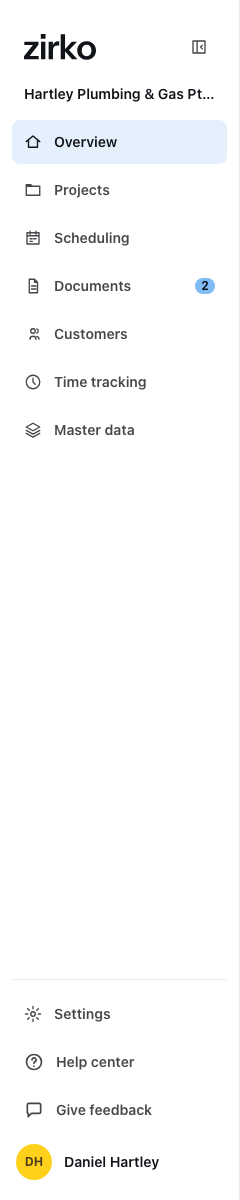
After switching you land on the overview — a document or project belongs to exactly one business, and the page you were on does not exist in the other. The choice sticks to your account, on your next device too.
On the phone, the business switch sits behind the cogwheel in your profile — see Zirko on site.
What does not work today
- No two-factor sign-in. There is no second code on top of the password — all the more reason for a password that is used for Zirko only.
- No signing in with Google, Apple or Microsoft accounts.
- No signing in by mobile number at the desk. In the browser there is only email and password; the mobile number is the way in the Zirko app, and that app is in no store yet. Anyone invited that way gets in through their business's invitation link or QR code.