The Zirko app on the phone is built for one hand, with a glove on, in the sun. It has three items at the bottom and a cog at the top left. Nothing more.

The three items
| Item | What is there |
|---|---|
| Assignments | Where you are supposed to go today. |
| Projects | The sites you are scheduled on. |
| Times | Your hours and your leave requests. |
Anyone with an office role additionally gets Office on the left and switches with it into the large view.
Assignments
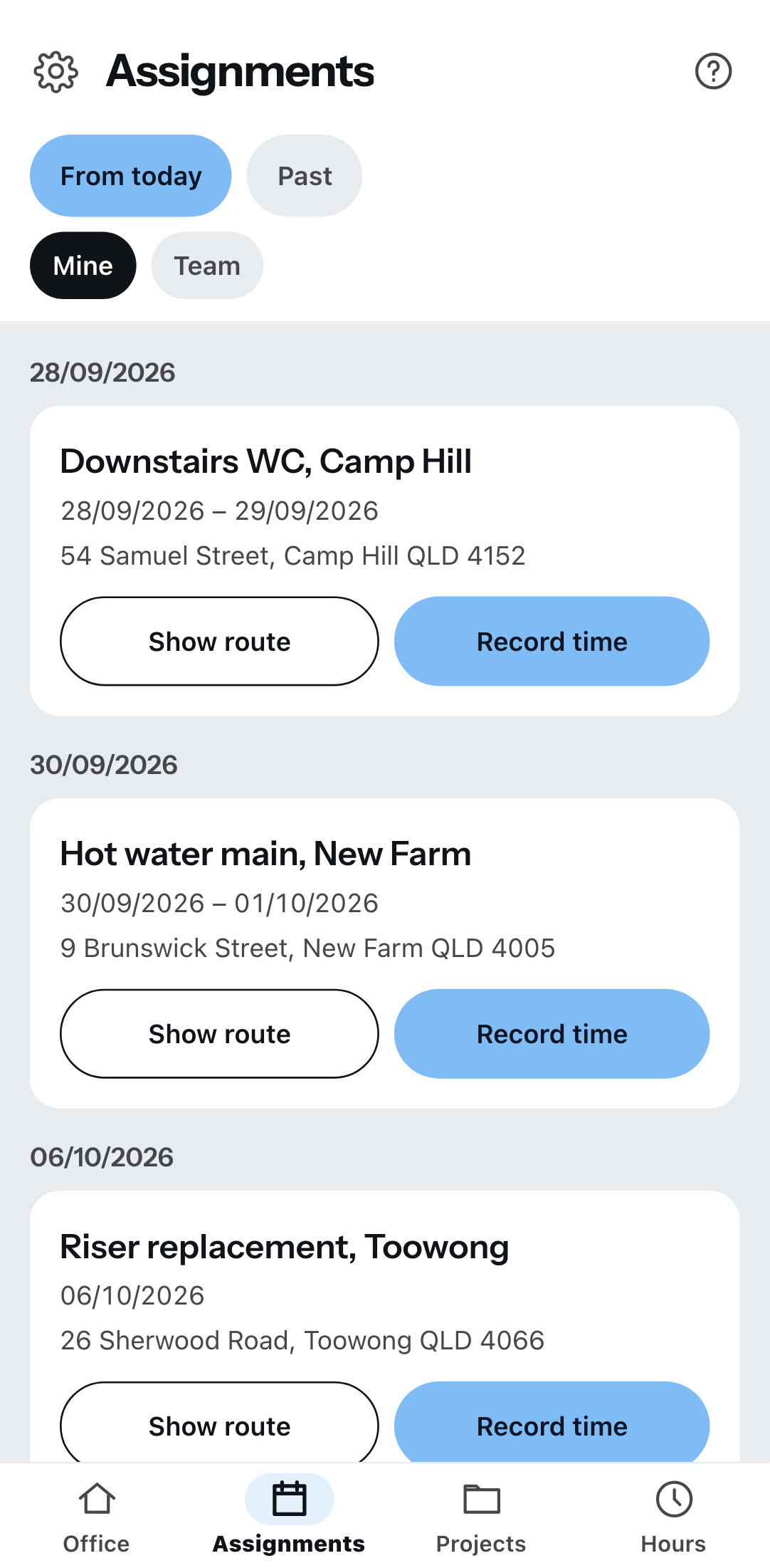
At the top you switch between From today and Past, below that between Mine and Team. Each assignment shows the date, the project, the address and how many are in the team — together with Show route and Record time.
Show route opens your phone’s navigation. Record time is the quickest way to your hours: project and date are already set.
If it says “Nothing is scheduled for you right now”, the office has not assigned you yet. As soon as it does, it appears here.
The cog
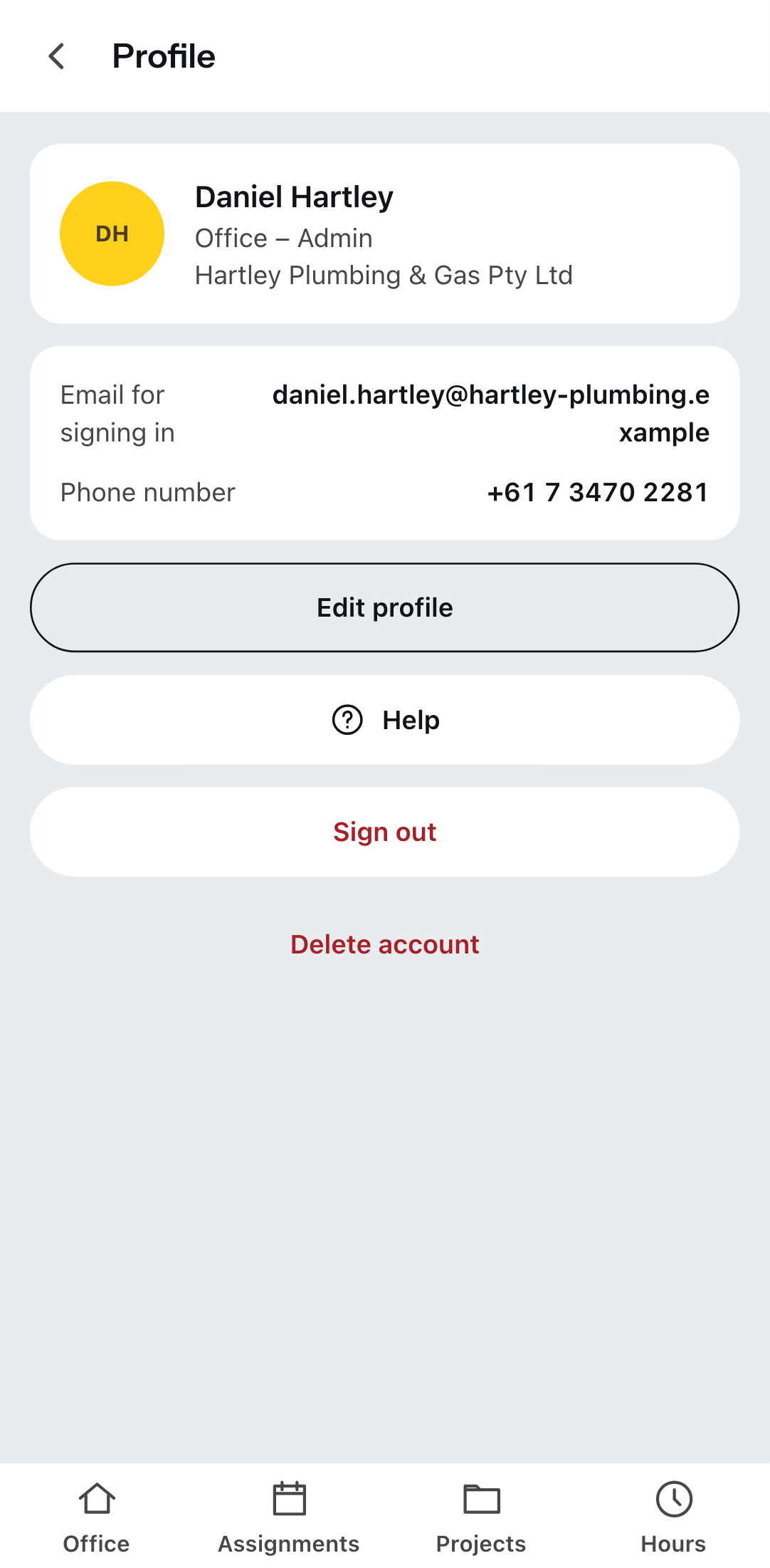
The cog is at the top left of every main page and leads to your profile. There you will find:
- your name, your role and the business
- the business switch, if you are in several businesses
- your email address and telephone number, Edit for name, picture, color, language and currency
- Sign out
- Delete account
The cog does not lead into the business settings. Those are locked for both field roles — wage groups, VAT rates and letterheads do not belong on a site phone.
What your role changes
Field – Team lead may create projects and record times for others. Field – Team member sees only assigned projects, records only their own times and has no access to customers.
Without reception
The app saves every entry on your device first and transfers it afterwards — even with the best network. What that means for you and where the limits are is under When there is no network.