As soon as your customer has paid, you record that at the invoice. Only then does Zirko know what is still outstanding — and only then do the reminders stop.
Where the route starts
Two places, the same dialog:
- In the document list: in the menu of the row on Payments.
- On the invoice itself: the same button.
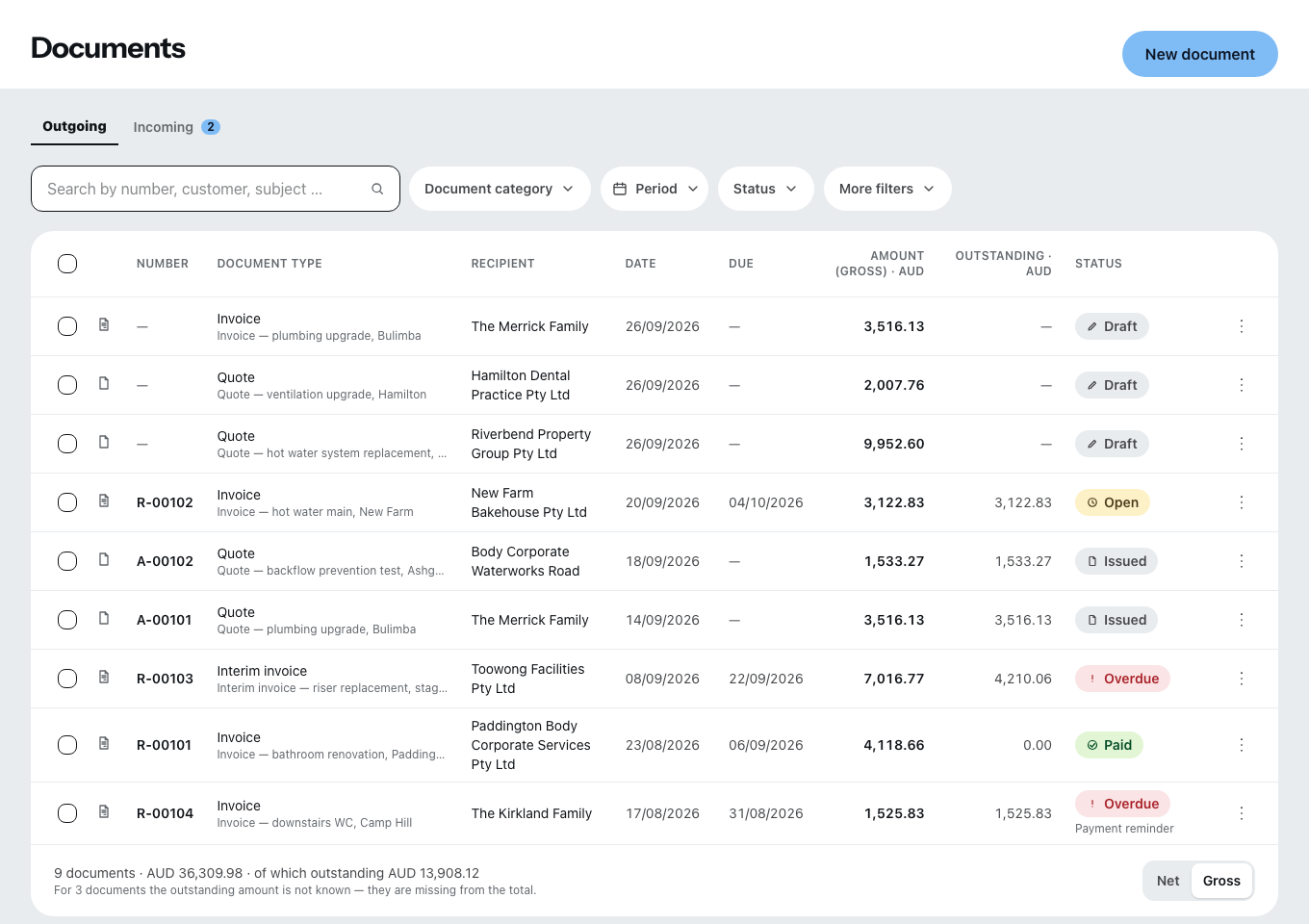
Payments can only be recorded on issued documents. A draft asks for nothing, so nothing can come in on it either.
And: you need a network to record one.
The four entries
- Amount. The outstanding remainder is filled in — so with a full payment you only confirm.
- Payment received on. The day the money was there. Zirko rejects a date in the future.
- Payment method: bank transfer, cash, card or other.
- Note, if you like.
Then Record payment.
Part payments
You can record any number of payments for one invoice. The status follows from their sum:
| Status | Meaning |
|---|---|
| Open | nothing has come in yet |
| Partly paid | something has come in, a remainder is left |
| Paid | nothing is left outstanding |
The calculation runs against the amount payable, not against the gross total. The amount payable is what the customer really has to transfer: gross minus retention minus the interim payments already invoiced.
If somebody pays too much, Zirko shows the overpayment as a credit. The status stays “Paid”.
“Overdue” is not a status of its own, it is a consequence: the invoice is due and not yet paid. Where the due date comes from is described under Payment term and early payment discount.
If you have made a mistake
A recorded payment is never changed and never deleted. Instead you post a reversing entry — the same sum with the opposite sign, and a reason is mandatory with it.
After that both stand in the list: the wrong payment with the mark “reversed” and the reversing entry. So you can see what happened, instead of a row disappearing. A payment can only be reversed once, and a reversing entry cannot itself be reversed.
You use the same procedure for a refund to the customer.
Where you see who has not paid yet
There is no payment list of its own — the answer is in the document list:
- the Outstanding column per row, with a total below the list
- the Payment filter in the filter bar
- at the individual document the list Payments so far with date, amount and note
If nothing comes in all the same, it carries on under Reminding when nobody pays.