The quickest way to an invoice does not lead through a blank sheet, but through the document you already have.
Straight out of the quote
Open the quote and choose Create as a related document. From a quote you get an order confirmation, an invoice, an interim invoice and a delivery note.
In the dialog you select the line items, decide about Take over quantities and about Opening & closing texts including images — then Create. The new invoice is a draft and can still be changed.
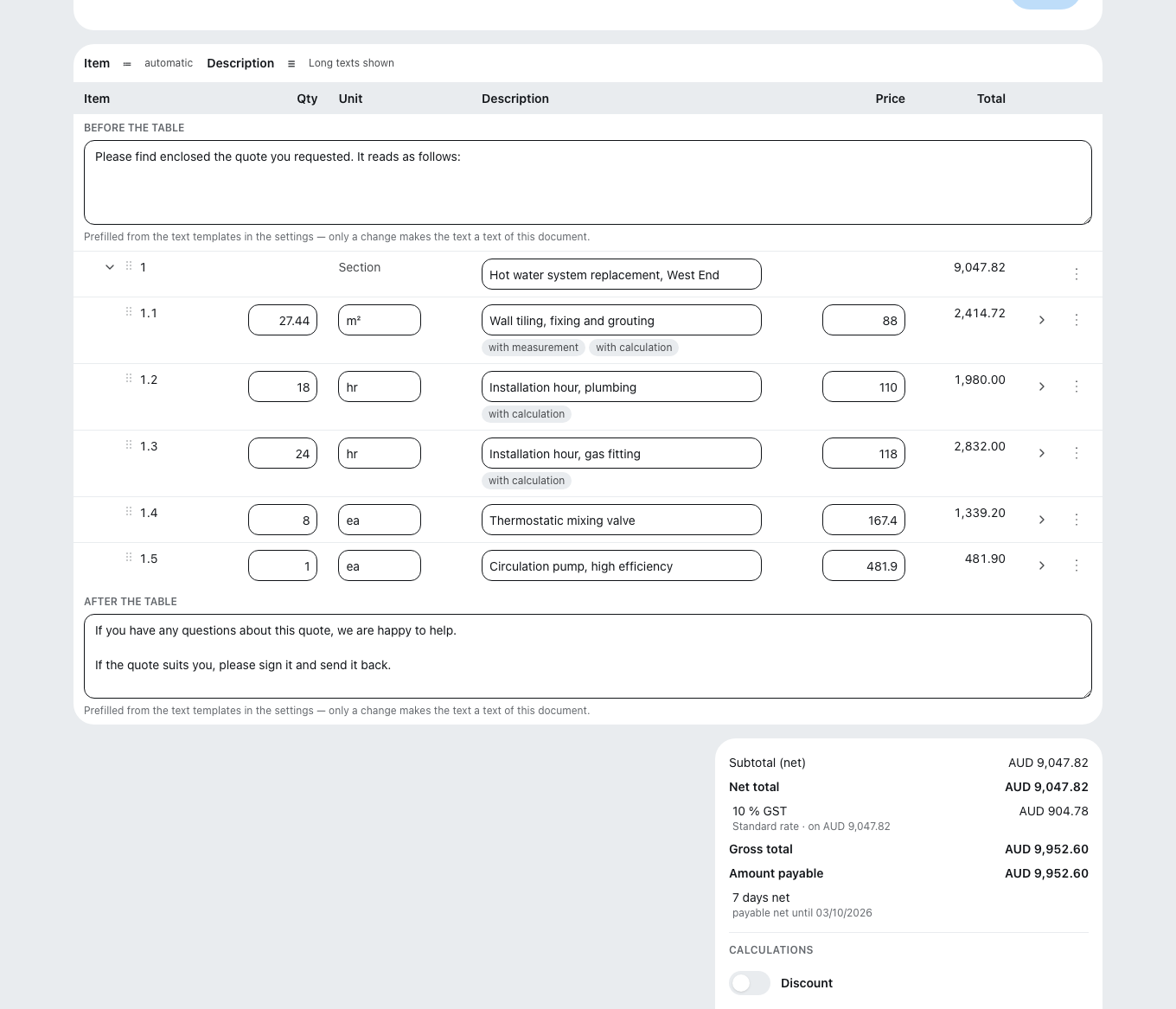
Line items can also be given custom numbers instead of a running sequence — how that works is explained under Writing a quote.
The totals block
Subtotal (net) → discount → rounding of unit prices → net total → VAT → gross total → interim invoices already issued → retention → site levy → amount payable. The Discount line shows only genuine line-item discounts — a rounding of unit prices appears separately, in its own line.
Two fields are worth a second look:
- Retention — type “Performance” or “Defects liability”, plus a due date. The amount is deducted from the amount payable and stays outstanding.
- Show the labor cost share — the share a private customer in Germany can deduct from tax under § 35a EStG (German Income Tax Act). Either “Automatic”, taken from the calculation, or as a fixed amount. If it is missing, the customer rings in March. If you switch from “Fixed amount” to “Automatic” or switch it off, an entered amount is lost — Zirko does not remember it. Once the document is issued, the share and its mode stay as of the day of issuing, regardless of later changes.
A foreign currency with an automatic labor cost share needs an exchange rate. Without an entered exchange rate, such a document cannot be finalized. Enter an exchange rate in the “Currency” block, or in the closing block choose “Fixed amount” or switch the labor cost share off.
If you change the exchange rate or the currency itself in the “Currency” block, Zirko recalculates calculated unit prices that still match their calculation, as well as all prices taken over (master data, Datanorm catalog, times, other documents). Prices entered by hand and prices you set through “Adjust price” stay unchanged. If you only change the reference date, Zirko leaves every price untouched. The message afterward names how many line items were recalculated and how many stayed unchanged.
Finalizing is final
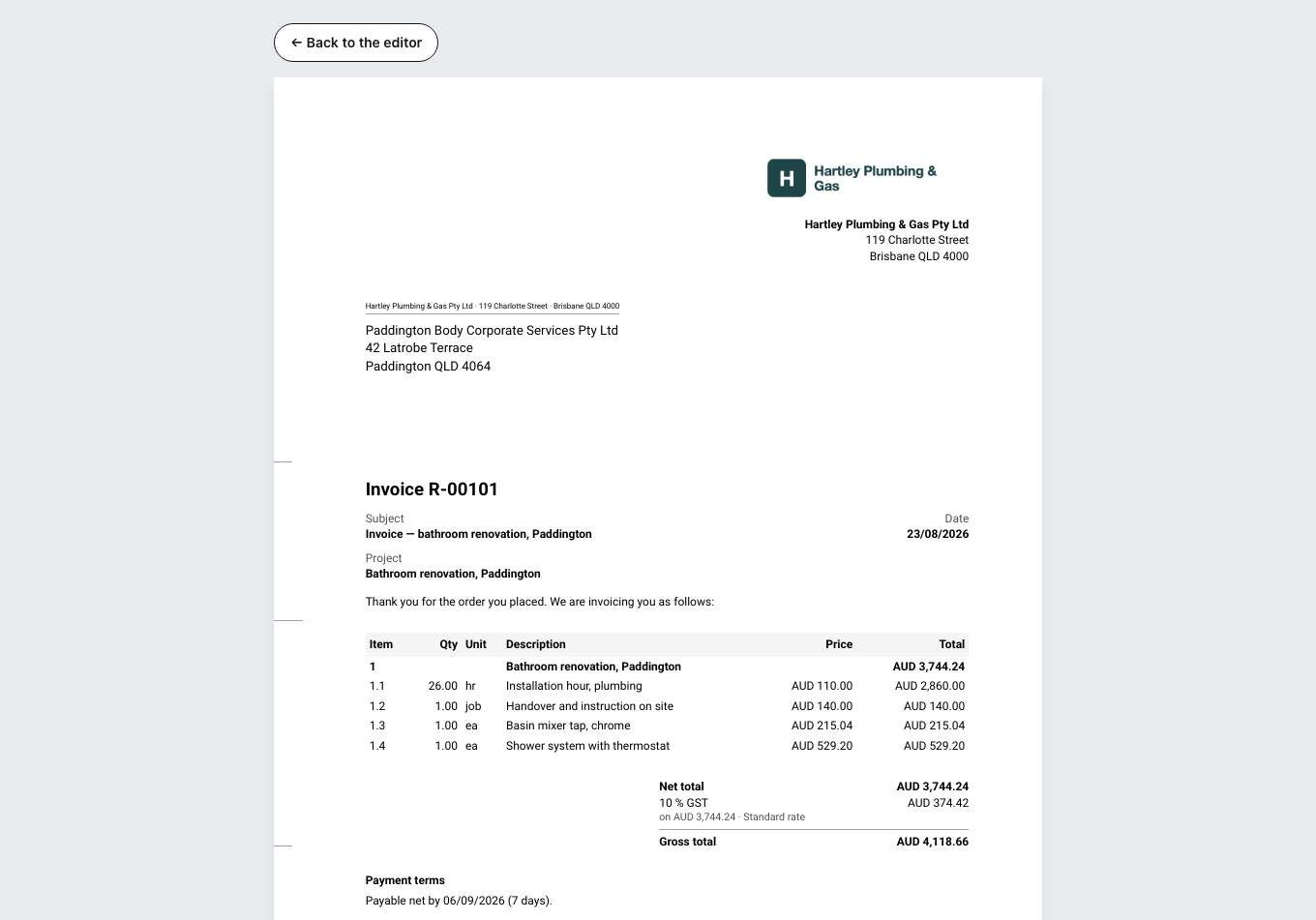
Finalize document is at the bottom of the closing block. The dialog shows you the document type, number, recipient, amount payable, VAT and due date once more.
After finalizing, the document is unchangeable. Corrections are only possible through a cancellation invoice or a correction document. That is not a Zirko rule but the GoBD (the German rules for keeping digital books and records; in other countries the local equivalent applies). That also applies to “Our contact person” on the document (date and service period in the header card): it is fixed at that point and does not change afterward, even if the person later leaves the business.
With quotes, cost estimates and order confirmations it is gentler: you can pull those back into draft with Edit again. With invoices you cannot.
The final number is only created when you finalize. It is unique; the law does not require an unbroken sequence. That is the German rule; some other countries do require a gapless sequence.
If something is missing, Zirko does not let you finalize at all and tells you what it is: no recipient, no address, no line item, no service date, no VAT rate, missing VAT ID, missing Leitweg-ID.
This includes the mandatory details of your business that the law of your country requires on invoices — such as the company name, the address or the registration number. If one is missing, the dialog names each one and says where you enter it: under Settings → Company → Business details. Until then the invoice cannot be finalized. Cancellation invoice, invoice correction and reversal document always remain possible — otherwise a faulty invoice could never be put right. When Zirko checks is explained under Business details, logo and tax numbers.
Afterwards
The document has a status: Draft, Check running, Check failed, Issued, Canceled, Withdrawn. Issued means: it may go out — how, is under Sending a document.
You can only delete an invoice while it is a draft without a number. After that there is the route Canceling an invoice.