The business details are not a form you fill in later. They stand on every quote, on every invoice and in every e-invoice your business sends out.
Settings → Company → Business details. The Office – Admin may change them.
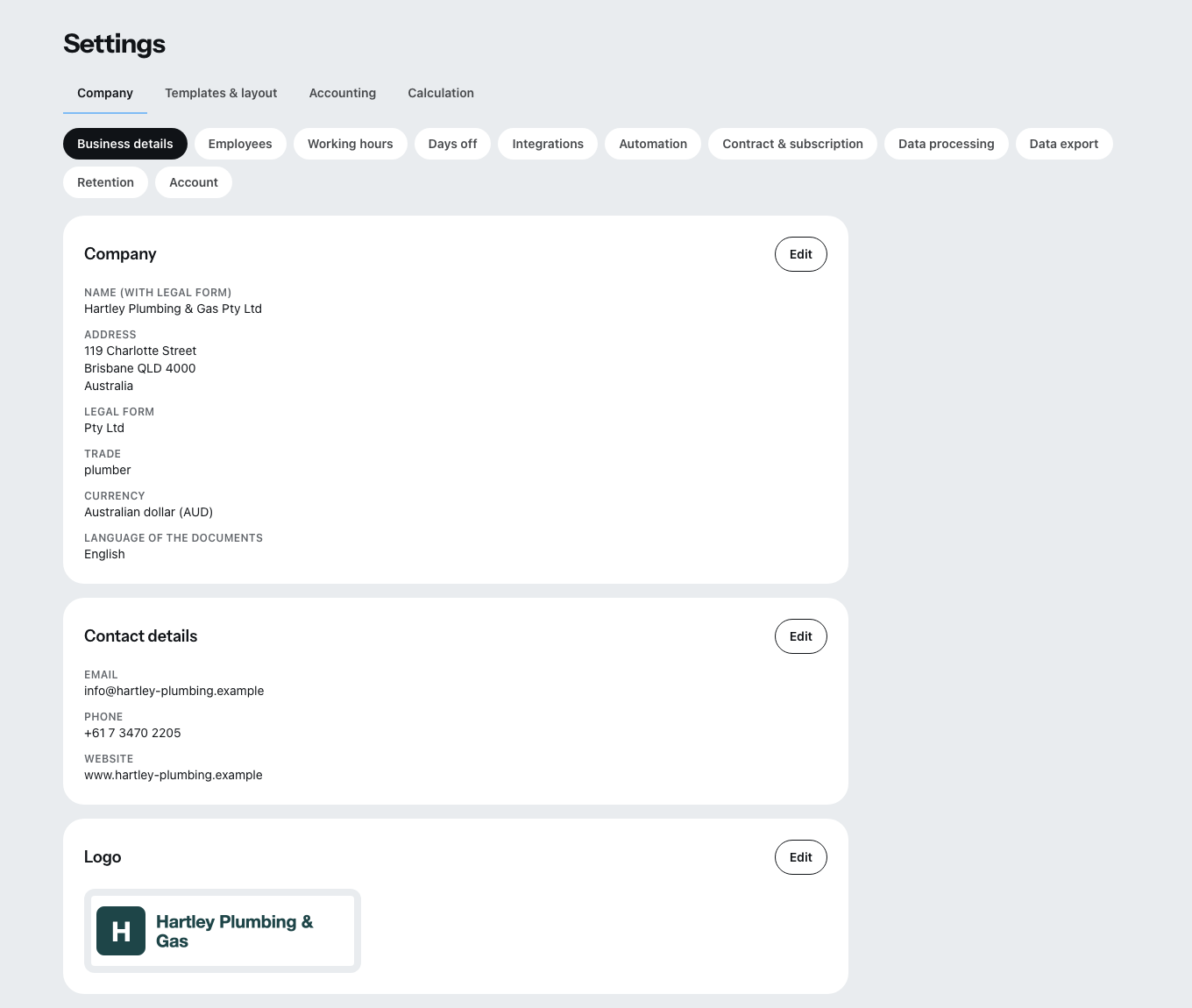
The country first — and you cannot keep changing it
The country of your business controls the tax profile, the mandatory details and the invoice format. That makes it the entry with the biggest consequences on the whole page.
It can only be changed as long as no document has been issued. After that no longer. Issued documents carry the tax law, the mandatory details and the invoice format of their country, and under the retention rules of that country they cannot be corrected any more.
If your business really has moved, Zirko support changes the country. Write to us through the contact form on the website, with the new country and the date of the move.
County / province is a field of its own, and it depends on the country. Romania and Italy have one: in Romania it is mandatory, without the judeţ e-Factura rejects every invoice; the code is on your business registration — RO-CJ is Cluj, RO-B is Bucharest.
In Australia, the USA and Canada a region is part of the address — a text field that recognizes abbreviations like “TX” or “QLD” just as well as the spelled-out name, and turns it into the official short form when saved. In Japan you choose the prefecture from a list. If an entry cannot be matched to any region, Zirko rejects it with a field error instead of saving it somehow.
Address, contact, tax numbers
The name and address of the business are entered once. **Email addresses and phone numbers you can enter more than once; email and phone each get a label of their own.
Among the tax entries Zirko distinguishes three fields that are often mixed up:
- VAT ID — the value added tax identification number. It is the entry that counts for business abroad, and it also decides how your Zirko invoice is treated for tax purposes.
- Tax number — the number from your tax office.
- Commercial register number — only if your business is registered.
- Register identifier for e-invoices — a fourth number, and not the commercial register number. The Netherlands, Australia and New Zealand require it in the e-invoice: the KvK number (NL), the ABN (AU), the NZBN (NZ). The scheme belongs with it — without that the entry is not written into the file at all. If it is missing when you need it, Zirko says so when you finalize and points you here.
When identifiers for e-invoices are still missing
If an entry is missing that your country's invoice format strictly requires, a warning band appears at the top of the page: "Identifiers missing for e-invoices". It names every missing entry separately and takes you straight to the field via Enter identifiers.
The band shows up early on purpose. Without these entries no e-invoice is created — and otherwise you only notice once the invoice already has a number and can only be canceled.
Which entry is required depends on the country: the NIP in Poland, the ABN in Australia, the NZBN in New Zealand, the KvK number in the Netherlands. If the invoice travels over the Peppol network, an electronic address plus its scheme is added — the network does not accept an email address for this.
Mandatory details: no invoice without them
What must appear on your documents depends on your country and your legal form. You choose the legal form in the Company card, together with the registration status. While it is missing, the band Add your legal form appears at the top, and Zirko does not check the mandatory details — except in New Zealand, Canada, the USA and Japan, where they do not depend on the legal form.
If something is missing after that, the band Mandatory details missing names every entry separately with its legal reference and takes you to the field via buttons. What only your country requires goes into the Further mandatory details card. Check the letterhead under Templates & layout → Letterhead shows the same list.
If an entry says “also required on invoices”, no invoice can be finalized without it — no interim or final invoice either. The finalize dialog names every missing entry and says that it is entered here. Cancellation invoice, invoice correction and reversal document remain possible; they only show a warning, and so do the quote, the cost estimate and the letter.
Bank details
You can enter several sets of bank details. For each set you decide with Show on documents whether it appears in the footer of your documents.
Zirko checks the IBAN as you type. An invalid IBAN is not saved — and the payment code on the invoice needs it in full, otherwise it is not created in the first place.
Logo
Edit logo takes PNG, JPEG, WebP or PDF, up to 20 MB. For a sharp print it should be at least 1200 pixels wide.
As long as none is lodged, it says there: “No logo uploaded yet — it will later appear on letterhead, quotes and invoices.”
Responsible persons
Here you enter who represents the business — with the name and the kind of representation, for example managing director or owner. If none of the titles offered fits, you choose “Own title” and write it yourself.
These entries feed into the mandatory details of your documents and into the version of the data processing agreement for your business — without them it cannot be issued.
Where the same fields turn up again
In the Templates & layout → Letterhead tab the same entries appear once more, as the buttons “Edit company”, “Edit contact details” and “Edit logo”. That is not a second place: both write the same record. So you can edit them where you happen to be, and see the effect straight away in the letterhead preview.