Incoming invoices are not in a menu item of their own but sit as the Incoming tab in Documents. Next to the outgoing invoices, because that is where they belong.
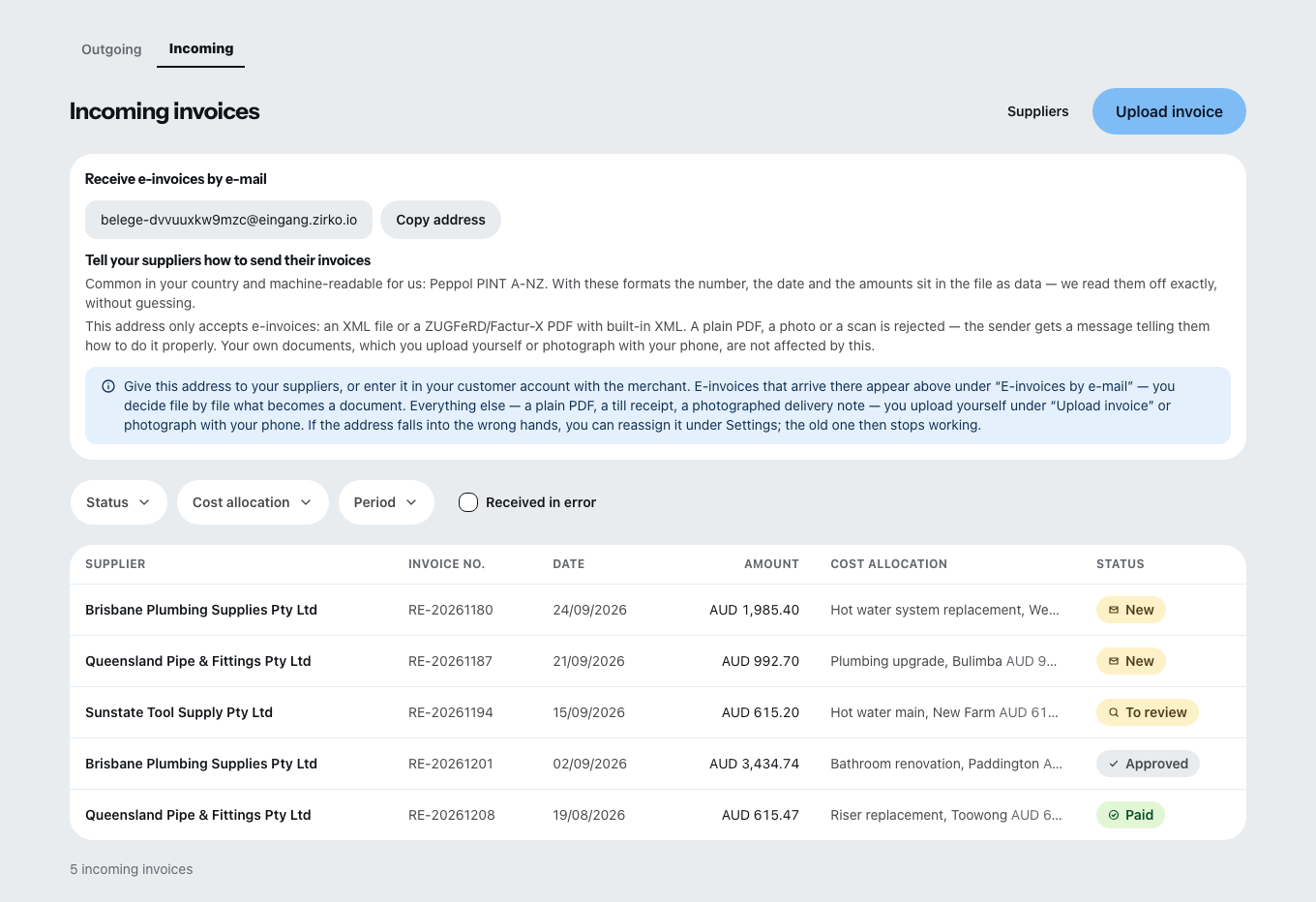
Incoming invoices depend on your package. The Single package does not include them, the Team package includes up to 50 newly recorded ones per calendar month — uploaded or taken over by email —, and the Company package an unlimited number. During the trial every business has them. Without the feature, or once the month's quota is used up, no new incoming invoices can be added — the ones already recorded stay readable, editable and exportable. Even then, invoices by email still arrive in the inbox and stay there at least until the end of the following month; once taken over, they count toward that following month's quota. Which package includes what is described under Changing plan, licenses and term.
Two ways in
Uploading yourself
Upload invoice takes PDF, PNG, JPEG and WEBP. Zirko reads the file and pre-fills the fields — on your device; the file is not sent anywhere for this.
As it does so, it shows you where it got the values from and how reliable they are:
| Source | Reliability |
|---|---|
| E-invoice (XML) | exact |
| PDF text | check |
| Text recognition | check everything |
Uncertain fields carry “Uncertain — please check” and have to be confirmed with Value is correct. Supplier, invoice date and gross amount are mandatory. The invoice number is the supplier’s — Zirko does not assign one of its own for incoming invoices.
By email
Under Receive invoices by email, the admin creates an address belonging to the business. Give it to your suppliers.
This address accepts e-invoices only — an XML file or a ZUGFeRD or Factur-X PDF with XML built in. A plain PDF, a photo or a scan is rejected. You upload documents like that yourself.
In the inbox, the new messages appear with the result of the sender check, together with Take over as an invoice and Discard message.
Allocating to the project
Under Cost allocation → Add allocation you choose a target — a project or a business area (warehouse, office, employees, vehicles, workshop, other) — and a partial amount.
An invoice may be spread across several projects and areas. Whatever is not allocated stays as “not allocated”; business-wide costs need no allocation. What you allocate appears in the job costing of the project — which is part of the Team and Company packages.
The five states
New → To review → Approved → Paid, alongside Disputed.
Approved incoming invoices are frozen. If you want to change document details or allocations, take back the approval first.
Mark as paid is a note. Zirko transfers no money — you make the payment in your bank account.
Came in by mistake?
Mark as received in error, with a reason. The document is kept: under the GoBD (the German rules for keeping digital books and records; in other countries the local equivalent applies), documents received must not be deleted. Real deletion is only possible while the incoming invoice is still New.
What is not possible today
- Zirko does not issue credit notes. The setting “Settlement by self-billing agreed” on the supplier unlocks nothing.
- Additional details from the invoice — IBAN, VAT ID, payment term, service period, VAT rates — are there only for comparison. Zirko does not store them as separate fields.
- An email does not become an incoming invoice on its own. In the inbox you decide file by file with Create incoming invoice.
- Only Office – Admin and Office – Management have access.