Two tabs under Settings → Calculation decide what every new calculation starts with: Markups and Units. Both are defaults — they save you typing, they do not change anything that already exists. All office roles can see them; the Office – Admin can change them.
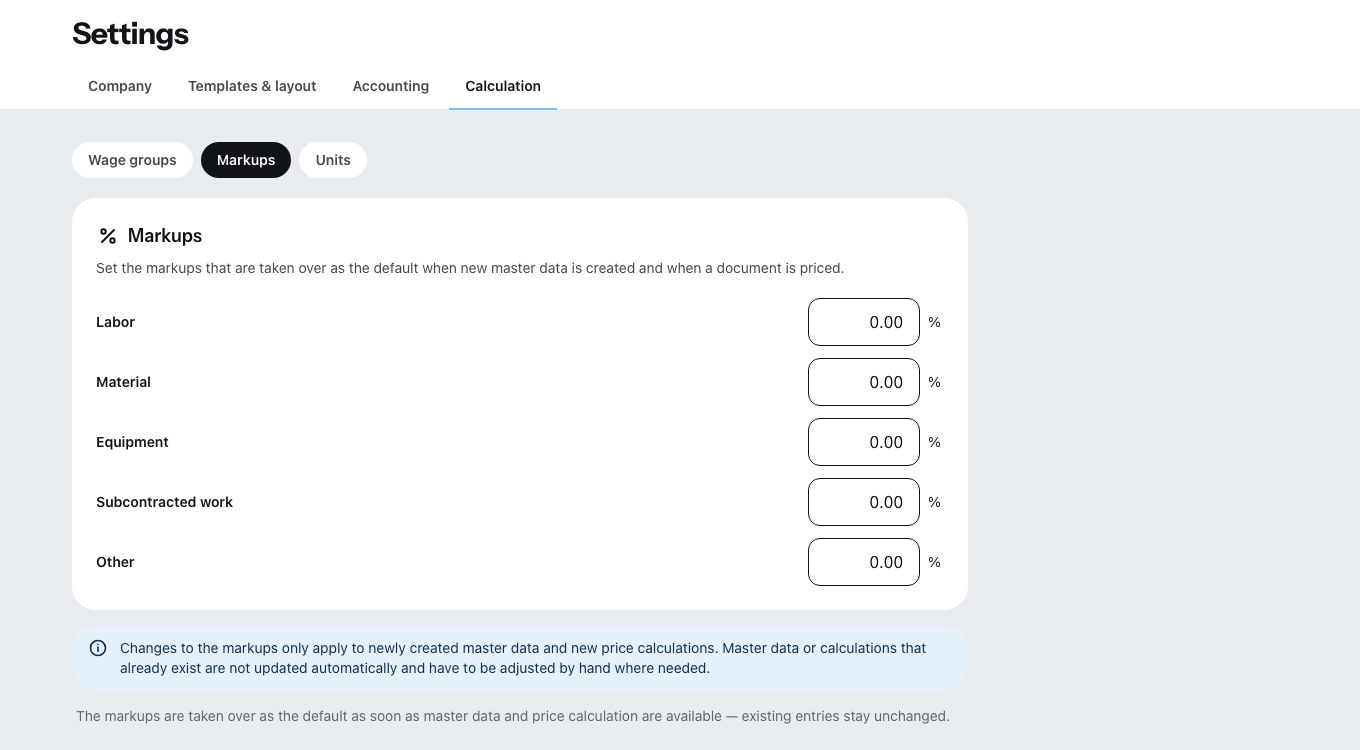
Markups — your markup per cost type
A markup is the percentage you add on top of your cost price so that overheads and profit come in. Zirko keeps it separately for five cost types: Labor, Material, Equipment, Subcontracted work and Other — because hardly any business puts the same markup on subcontracted work as on its own material.
Tap into a field and enter the rate — Cancel and Save appear at the top of the card. Numbers from 0 to 9,999.99 with at most two decimal places are allowed, so 12 or 12.5, not 12 %. Zirko accepts a comma or a point, whichever your keyboard offers; afterwards the rate is shown the way your country writes numbers. If it is above the limit, the field tells you before you save.
A changed markup only applies to new entries. It is prefilled when you create a new material, a new service or a new price calculation in a document. Whatever is already in the master data or has already been calculated keeps working with the old rate. If you want to bring existing materials up to date, you can do that in the master data folder by folder or for a selection via Set markups — see Creating services and materials.
In the price calculation of a line item, this markup appears again per cost type and can be changed there for that one line item. Where a labor row takes its cost price from — the hourly rate — you set under Wage groups and the hourly charge-out rate.
Units — what is in the list
The Units card shows every unit available to choose from in line items, master data and the calculation. A new business gets this list in the language it is created in — a business in Milan starts with pz. instead of Stk., one in Warsaw with szt., one in English with pcs. After that the list is yours: whatever already sits on master data and line items, Zirko does not change.
The e-invoice carries the code of the unit. Zirko recognizes the preset units in each of its languages — pz. becomes the code for a piece there just as pcs does. A unit of your own that Zirko does not know goes out as a general unit of quantity.
In Italy, Poland and Finland the e-invoice also has a field for the unit as a word — in Italy and Poland the file is even the invoice itself. There it carries the same word as the sheet, such as pz. or szt., and the code stays next to it. If a word does not fit the field, only the code is there.
On the sheet the unit is in the language of the document. If a business in Vienna writes an English quote, it keeps Stk. — what is printed is pcs. Your text stays stored as it is, and the editor keeps showing it that way; only the sheet translates, and only what Zirko recognizes for certain. A unit of your own such as “carton” appears on every sheet the way you wrote it. Once the document is issued, the printed unit stays as it was when the document was first shown. With an e-invoice the word is frozen as soon as you issue it, because the file is created before the first sheet — sheet and file then carry the same word.
Edit opens the dialog:
- Add unit — enter the abbreviation and add it with Apply unit. At most 20 characters. Newly added units carry the label New until you save.
- You remove a unit with the icon on its row.
- Zirko does not allow the same unit twice, not even with different upper- and lower-case letters.
The last minute unit and the last hour unit in your list carry the label Fixed and cannot be removed — out of the box min and hrs. The price calculation uses them to calculate labor time — without them every labor row would show zero minutes, and nobody would notice. If you keep one of them twice, such as hrs and h, one of them may go.
Default values
The Default values card sets which unit is preselected: for a New line item and, under Calculation, for each of the five cost types. Out of the box these are pcs for a new line item, min for labor, m2 for material and Sum for the other three.
A unit entered as a default value cannot be removed — Zirko then tells you that you have to change the default value first. Regardless of the default values, every unit is always available to choose from in every line item.