Master data is your price list. What is in here you pull into a line item with two clicks while writing a quote — with text, unit and price.
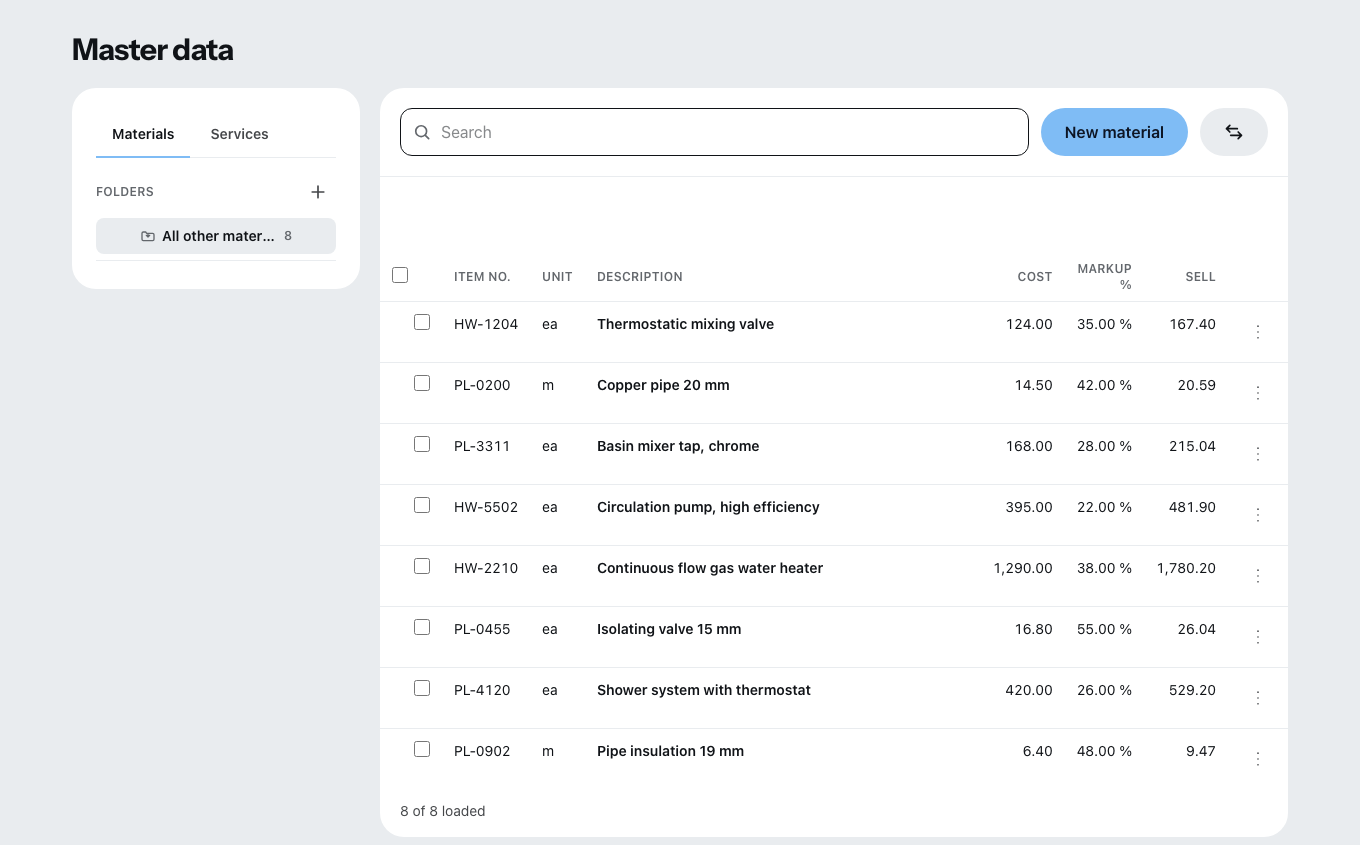
Two tabs, no more
Materials and Services. On the left are your folders, below them the Datanorm catalogs of your suppliers. Datanorm is the wholesale catalog format used in Germany and Austria.
Creating an entry
New material or New service. The columns:
| Column | What belongs in it |
|---|---|
| Item no. | Yours or the supplier’s. |
| Unit | pc, m², h, lump sum. |
| Description | The short text that appears on the quote. “Show long text” adds the detailed description. |
| Cost | What it costs you. |
| Markup % | Your mark-up. |
| Price | Zirko works it out from cost and markup. |
Under Price calculation you break a price down into Labor, Material, Equipment, Subcontracted work and Other. A labor line takes its cost price from a wage group — change the rate there and the calculation is right again.
Folders instead of one long list
Set up folders by trade or component. From the folder menu, Change cost price and Set markups work on everything inside in one go. Anything without a folder ends up in “All other materials”.
Four ways to get data in
- From an existing document — the line items of a quote you have written become master data.
- Add to master data — a single line item, straight from the document editor. How that works is explained further down.
- From a GAEB / Excel file — an assistant in four steps: file, Map columns (the short text is mandatory), target folder, check. Duplicates can be skipped, updated or created anyway. An Excel template is available to download. GAEB is the tendering standard in Germany and Austria. The file may be at most 10 MB, and this import is part of the Team and Company packages.
- From a Datanorm file — your supplier’s catalog. It is read-only; you pull individual items out with Take over into my materials. That is a copy — later updates to the catalog do not change it.
What Zirko cannot read today: Datanorm version 5 (only 4), GAEB-90 (.d8x) and GAEB-2000 (.p8x). With GAEB, .x80 to .x86 work.
Taking over a line item from the editor
In the document editor every line item has the entry Add to master data in its ⋮ menu (Row actions) — on a finalized document too.
- Create as material or service. Zirko suggests one and writes “suggested” next to it.
- Choose the folder — the list can be searched. New folder creates one. “All other materials” or “All other services” is always offered and is created when you save, if it does not exist yet.
- Under What will be taken over you see before saving what arrives: sales price per unit, cost, markup and, if there are any, calculation and image. The calculation only carries over into a service; a material gets its total as the cost price. If the line item has no calculation, its sales price arrives as the cost with a 0.00 % markup.
If the entry already exists, Zirko asks: Update or Create anyway. Update overwrites price, markup, calculation, long text and unit; the short text and the folder stay. Afterwards it says “Created in …” or “Updated in …”, and Open in master data takes you to the right tab and folder.
The line item in the document does not change. The master data entry is a copy — later changes to it do not affect the line item.
Master data carries no quantities. You enter a quantity only in the quote; what is here serves only as a guide.