Zirko has seven menu items. Once you know what is behind each one, you never have to search.
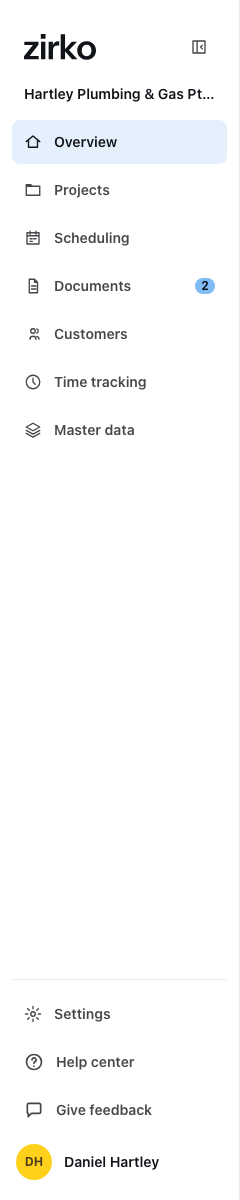
The seven items
| Item | What it is for |
|---|---|
| Overview | What is on today — your way in each morning. |
| Projects | Every site, every job. Everything hangs off this. |
| Scheduling | Who is where and when. The planning board. |
| Documents | Quotes, invoices and everything in between — with the Incoming tab for supplier invoices. |
| Customers | People and organizations with their addresses and tax details. |
| Time tracking | Recorded hours, leave requests, working time accounts. |
| Master data | Your services and materials with prices. |
Below that, set apart, are Settings and your picture with “Edit” and “Sign out”.
Incoming invoices deliberately have no menu item of their own. They sit as the Incoming tab inside Documents — where the outgoing invoices are too. A number appears on “Documents” when incoming invoices are waiting for you.
The double arrow collapses the menu; only the icons then remain.
What you see depends on your role
Not everyone sees all seven items. “Field – Team member” has no Customers; neither field role has Master data or Settings. That is not a fault and cannot be clicked away — it belongs to the role. Which role may do what is under Invite employees.
The overview
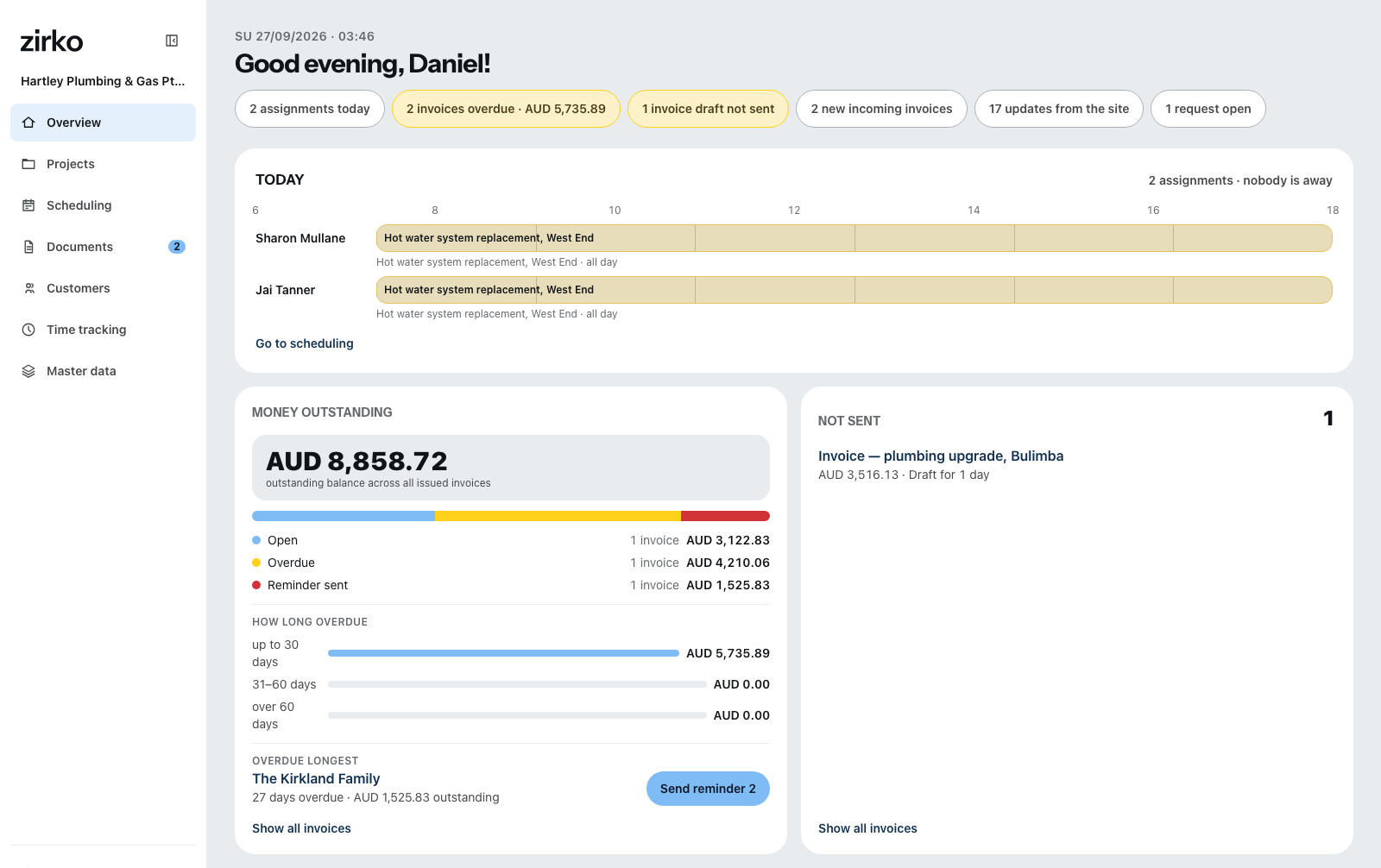
At the top the greeting and a line “What is on today” with chips: assignments today, overdue invoices, drafts that have not gone out, new incoming invoices, messages from the site, open requests. Every chip takes you to where the work is.
Below that, cards. Under Customize you choose which ones you see, how big they are and in what order they appear. There are ten:
- Today — who is on which site and who is missing
- Money outstanding — open, overdue and reminded invoices
- Not sent — invoices in draft or undeliverable
- Incoming invoices · Absence requests · New from the site
- Recently edited · Revenue this month (off by default)
- First steps — disappears once everything is in place
- Help and support — stays afterwards
“Revenue this month” is revenue, not profit. It shows what has been invoiced and what has come in. What the business has earned it does not say.