A customer is the basis for everything else: project, quote, invoice. To create one you need exactly one field — the name.
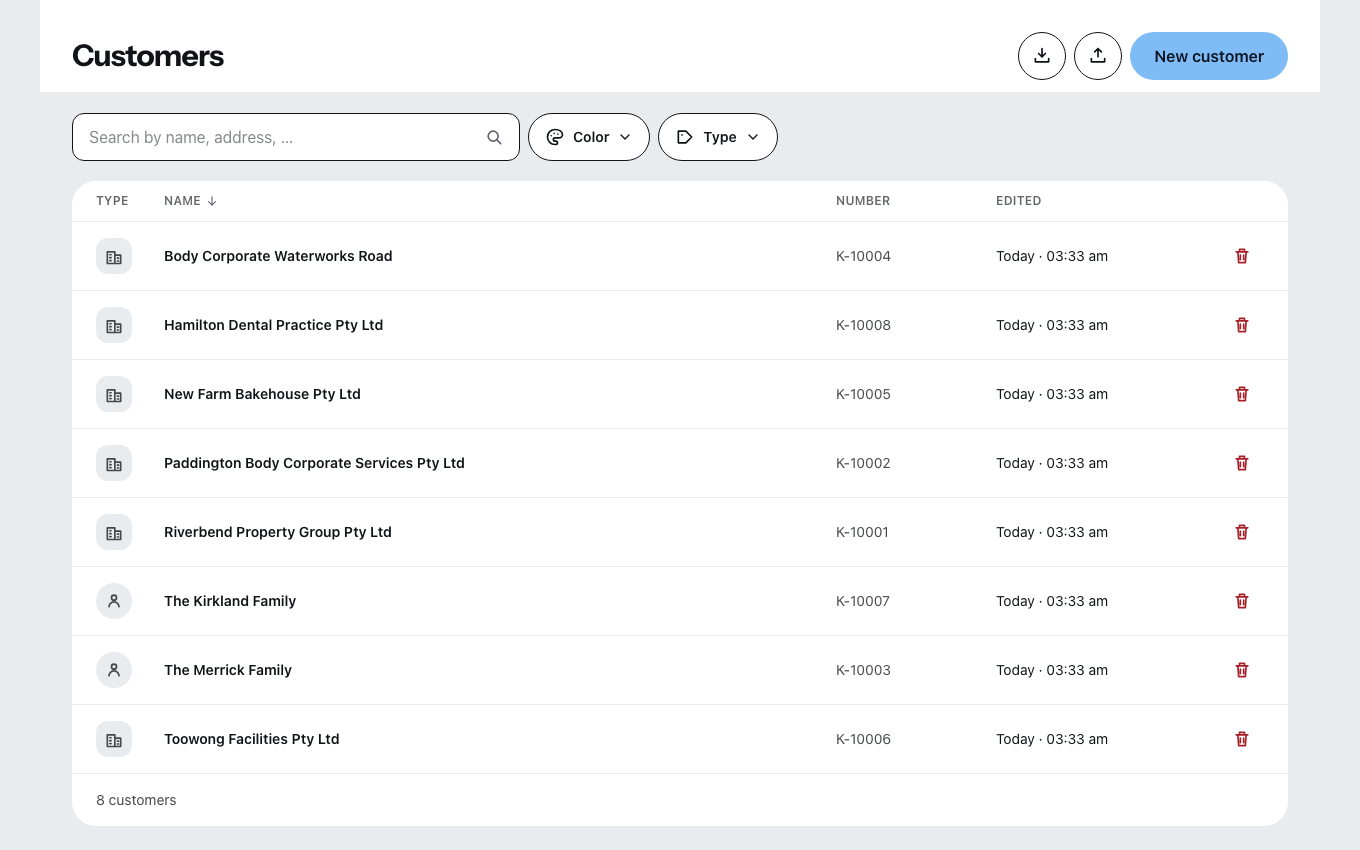
How you create one
- In the customer list, click New customer.
- Zirko asks first: What would you like to create? — Person (“A single customer”) or Organization (“A company, authority or association”).
- Enter Name or Organization name. That is the only mandatory field.
- Create customer.
Zirko assigns the customer number when you save, if you leave the field empty.
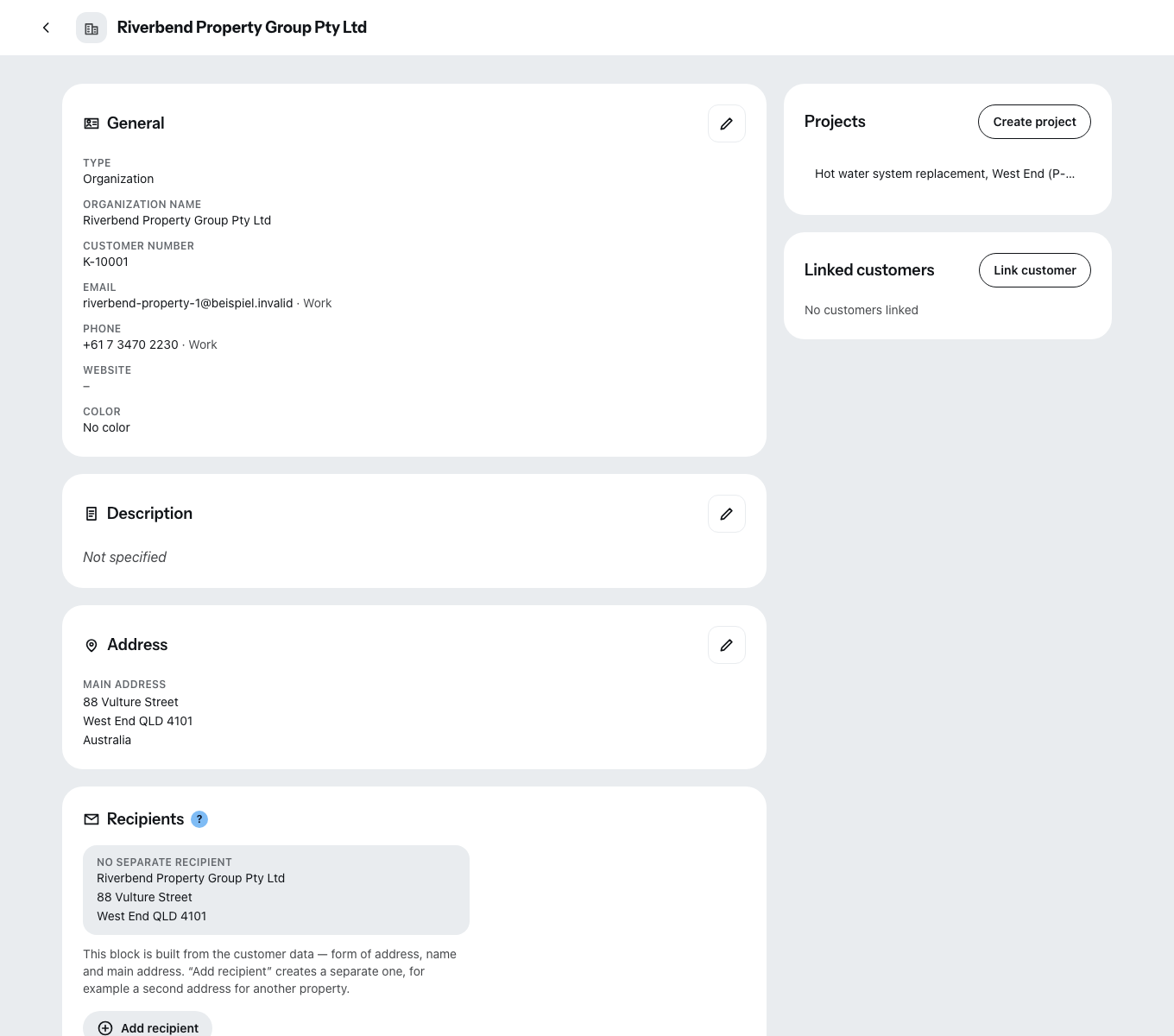
The cards that are worth it
Address. The first address is the main address — it appears later on quotes and invoices. You add further ones with Add address. As you type, Zirko suggests addresses.
Payment term & early payment discount. If you enter nothing here, the value from your settings applies. For the one customer who always wants 30 days, you enter it once here instead of on every invoice.
Tax. VAT rate, VAT ID with Check now (asks the European register), exemption certificate under § 48b EStG (German Income Tax Act) and the evidence log for § 13b and photovoltaics. The exemption certificate and the evidence log are German records; the VAT ID check queries the EU register.
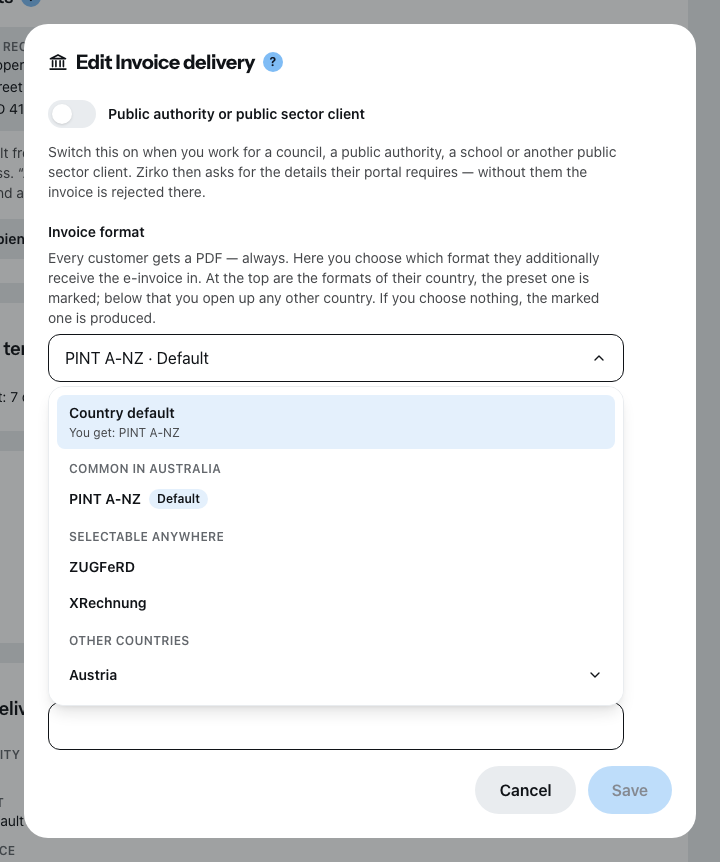
Invoice delivery. This is where you set which format your customer receives their invoices in — and where the Leitweg-ID (the German routing ID) belongs for public authorities in Germany, once on the customer and not on every invoice. Where you get it is under How the authority receives your invoice.
The format picker works like the tax rates: at the top are the formats of the country your customer is in — the preset one is marked. Below that you open up any other country and see its formats. If you choose nothing, the default is produced; which one that is stands in the field.
In Poland, Italy and Romania the badge reads “Required”. There the invoice goes through a government platform that accepts only its own format. You can still choose something else — then something else is created, and a note tells you what you are overriding. The invoice will not be accepted there; you would have to cancel it and issue a new one.
A format from another country carries the badge “not valid here”. You can still click it — but your customer usually cannot process it, and then the default of their country is produced. The sentence below the field tells you what actually comes out.
Some formats require extra details: NLCIUS and PINT A-NZ need the register identifier from you and from your customer (KvK number, ABN, NZBN). If it is missing, Zirko says so when you finalize — naming the field that is missing and the way there.
Recipients are the address block
A recipient is the address block printed on the document — form of address, name, two extra lines, address. It is useful when the invoice goes to the property management company and the work happened at the tenant’s.
You create recipients only AFTER creating the customer, not in the new customer form. Without a recipient of its own, the document prints the customer’s name and main address — that is the normal case.
Many customers at once
Import customers reads vCard (.vcf), Google CSV, Outlook CSV and generic CSV, in four steps: choose the file, Map, Check & select, Import. At least the name or the company has to be mapped. A template is available to download.
The export always takes all customers with it. Search and filters have no effect on it.
What is not possible here
You do not create a project from the customer. The button on the “Projects” card is deliberately grayed out — go to the menu item Projects for that.