If you bill by measurement, there are three places where mistakes creep in: the note on site, the retyping in the office and the quantity on the invoice. In Zirko it is one series of figures that travels from the phone all the way into the invoice. It is typed once.
1. On site: the measurement in the report
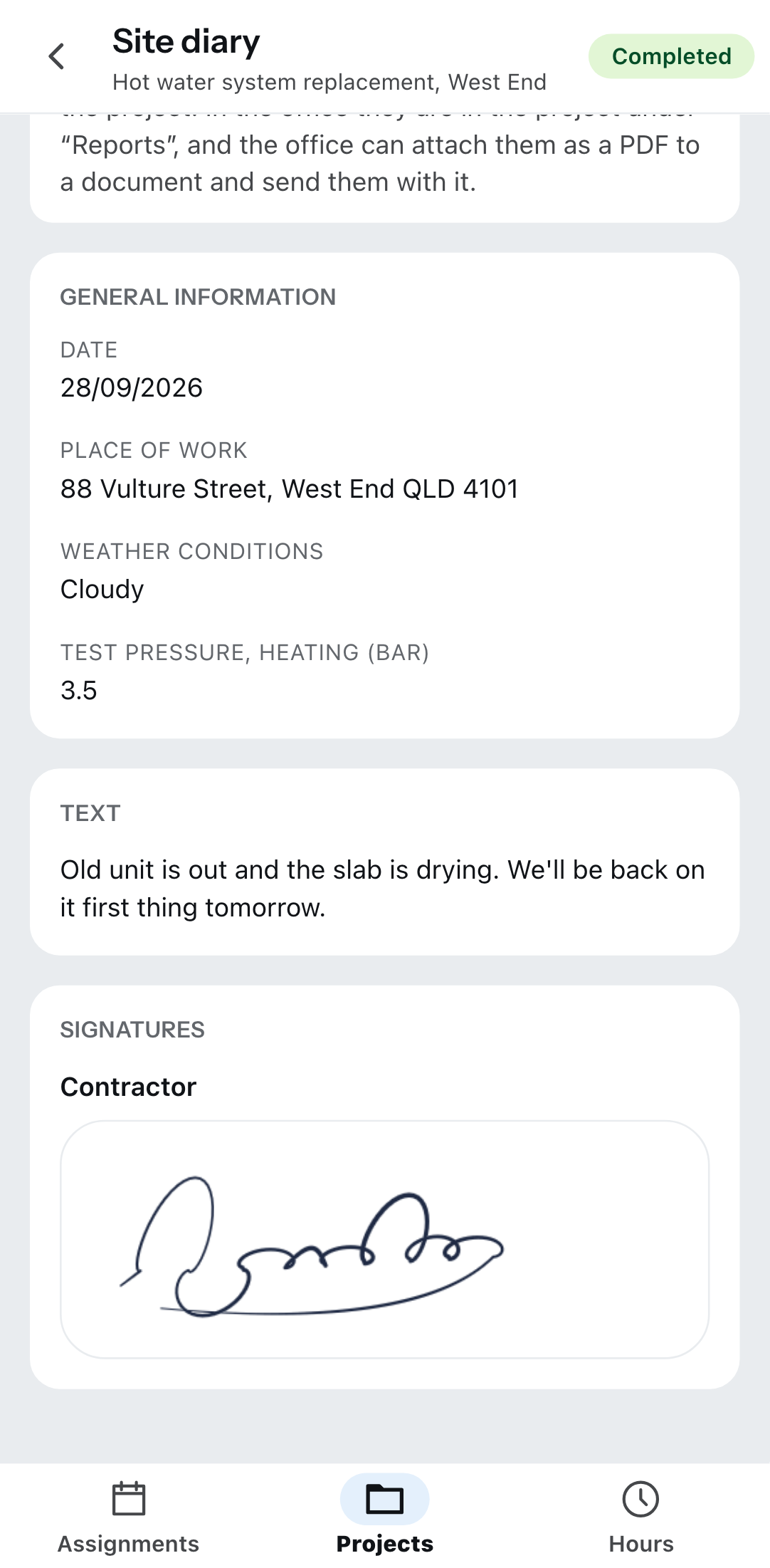
In the Zirko app the fitter opens the project, taps Create report and chooses a template with a measurement — out of the box there is the Measurement template. One description and the reading per row; the app works out quantity and total. Then Complete.
Only completed reports can be taken over in the office. A draft does appear in the list, but it is locked — otherwise the figure could change afterward.
How the report is made on the phone, and why you save it as a draft along the way when there is no reception: Project and report on site. The office creates its own templates under Report templates.
2. In the office: bringing the measurement to the line item
Open the document you bill in — usually the invoice you created from the quote (see Writing and finalizing an invoice). On the line item: Add measurement, then Take over from a mobile report. Zirko shows the Reports of this project; you pick one and take it over with “Take over 12 rows” — the number counts along.
The total of the rows becomes the quantity (Qty) of the line item. The price follows the quantity; the invoice is right without you doing the math.
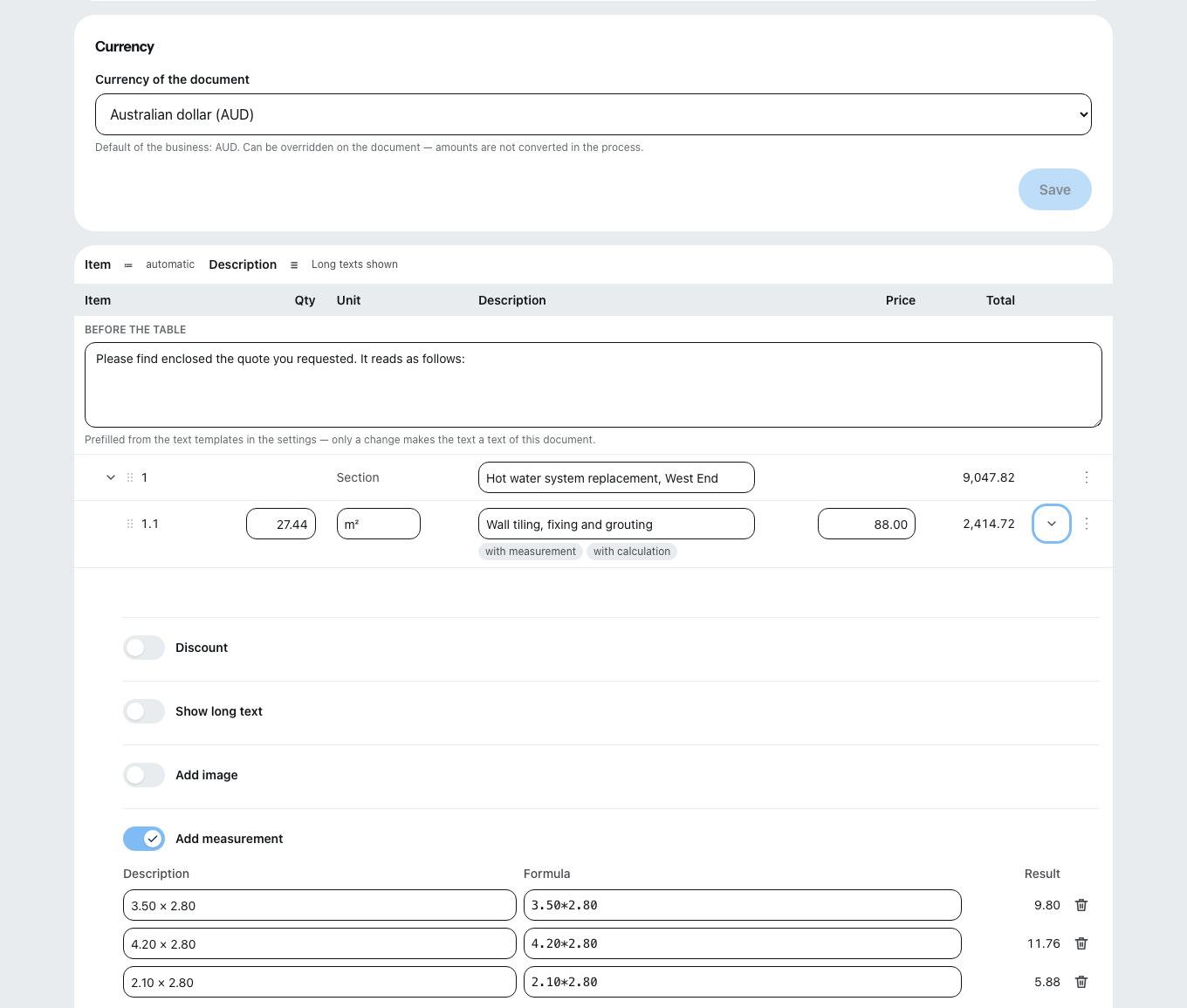
You can also write the measurement directly in the office: one Description and one Formula per row, such as 4.20*2.65-0.88*2.01, with the Result beside it. A row may subtract — a door, for example, as a row of its own with a minus in front.
Zirko recalculates every row it takes over. If the result differs from what was in the report, the row says “The report states … — recalculated it differs.” Then check the reading before the invoice goes out.
What Zirko rejects
- A negative total quantity. Individual rows may subtract, the total of a line item may not. The rows stay saved, the quantity unchanged.
- A measurement on a section. Measurements exist only on line items.
- More than 500 measurement rows on one line item.
- A row that cannot be evaluated does not count toward the quantity — Zirko tells you that the quantity is therefore incomplete.
If you switch off the measurement of a line item, Zirko asks first: all rows are deleted and the quantity is reset. This cannot be undone.
3. The measurement sheet goes along
The measurement is a separate attachment in the document and in the PDF — switched on out of the box, and it can be deselected on the individual document. So your customer sees where every quantity comes from and does not ask. How attachments go out: Document texts, attachments and file names.
When a follow-up document is created, quantities travel along, measurement rows do not. If you choose Copy the quantities from the quote, the invoice shows the planned quantity. You then bring in the measurement from the site on the invoice itself — that is where what was measured belongs, not what was planned.
Analyses before finalizing
At the top of the editor is Analyses with three views. All three can be printed and are visible only in the office.
| View | What for |
|---|---|
| Show measurement | All measurement rows of the document on one page — for checking against the site manager. |
| Show materials list | The material of all line items, grouped by description and unit — the order list for the wholesaler. |
| Show calculation | Purchase cost, labor hours and Contribution margin per line item and for the whole document. |
Purchase prices and margin never appear on the document or in the PDF. Only the office sees the calculation — field roles cannot get to this page.
If everything is right, Finalize document — from then on the invoice cannot be changed.